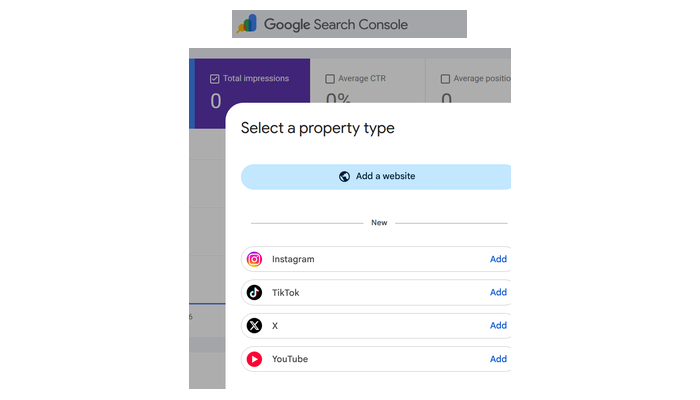
Google now lets you connect YouTube, Instagram, TikTok, and X as “platform properties” in Search Console. You can see which searches drive people to your social posts.
What’s New
Search Console has only ever tracked website traffic. Now Google added a new property type called “platform properties.” You connect a social account and get the same data:
- Clicks
- Impressions
- Exact search terms driving people to your videos and posts
Why This Matters for Local SEO
Google has been indexing and ranking social content for years. Search “AC replacement Phoenix” or “water heater installation near me” — there’s a good chance a YouTube video is sitting on page one.
How to Set It Up
- Go to Google Search Console
- Add a new property
- Select “Platform properties”
- Connect your YouTube, Instagram, TikTok, or X account
- Verify ownership
What to Do With the Data
- Find which searches drive traffic to your social posts
- Create more content around those topics
- Optimise your social profiles for local search
- Cross-reference with your website data
Related: GBP Posts With Keywords → | Optimise for AI Search →